
April 14, 2026
Missed Call Text Back: How to Respond Instantly
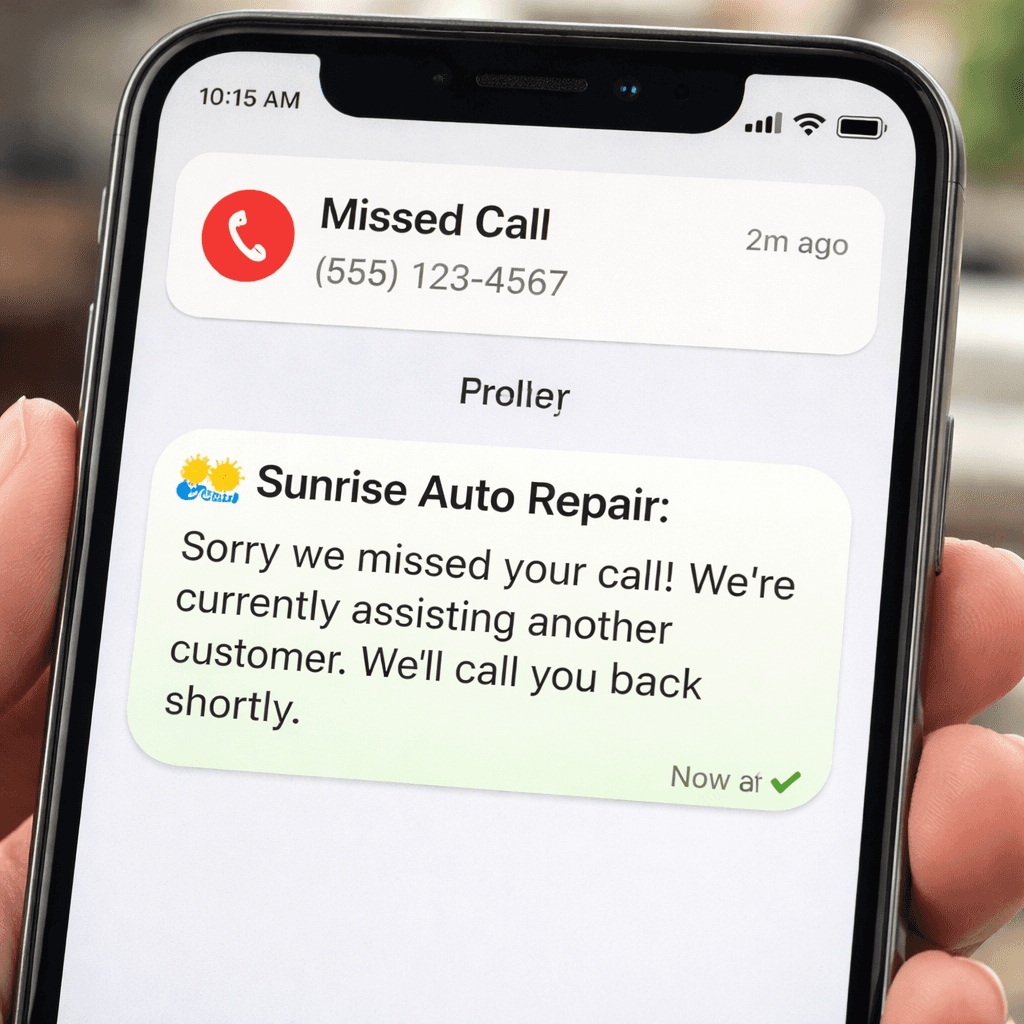
Missed calls cost you money. Most small businesses lose hundreds of dollars each month because they don’t answer the phone fast enough. In this guide we’ll show you how to set up a missed call text back system that replies the second a call is missed.
We’ll walk through why you need it, which tools work best, how to write the right message, and how to test and improve the flow. By the end you’ll have a clear plan you can launch in a day.
Comparison of 6 Missed Call Text‑Back Solutions, April 2026 | Data from 4 sources | ||||||
Name | Detection Method | Auto‑Text Customization | AI Response Capability | Integrations | Best For | Source |
|---|---|---|---|---|---|---|
GoHighLevel Missed Call Text Back with AI | workflow trigger when an incoming call is missed | customizable missed call text message | AI-powered conversation via Conversation AI | HighLevel CRM, phone system, Conversation AI | businesses using HighLevel platform | |
IFTTT Webhook Missed Call Detection | detect missed call on existing phone number and trigger webhook | — | AI kicks in instantly to follow up | IFTTT, HighLevel | businesses wanting to keep current phone setup without forwarding | |
Missed Call AI Agent (Twilio + n8n) | Twilio webhook registers no answer or busy status | Customizable first text via n8n node; any message can be set | Uses OpenAI chat model to generate dynamic replies | Twilio, Google Sheets, Google Calendar, OpenAI, numverify | roofing companies, marketing agencies, general SMBs | |
MissedCall-TextBack | — | — | — | Zapier | — | |
Weave | — | — | — | — | healthcare practices | |
Rocket CRM Missed Call Text Back | Monitoring incoming calls and identifying those not answered within a defined timeframe | Messages can include operating hours, alternative contact options, scheduling tool links | — | Rocket CRM platform | Healthcare, service-based businesses, professional consulting, high call volume organizations |
We pulled the data by searching for “missed call text back” plus “automation” and “AI” on Google, YouTube, and a few niche sites on April 9, 2026. Six tools showed up across four domains. We logged detection method, text customization, AI response, integrations and target market. That’s the sample we’ll compare.
Table of Contents
Step 1: Understand the Need for a Missed Call Text Back
Step 2: Choose the Right Automated Reply Tool
Step 3: Craft the Perfect Missed Call Text Message
Step 4: Implement, Test, and Optimize Your Text‑Back System
Conclusion
Step 1: Understand the Need for a Missed Call Text Back
Every missed call is a chance you lose. Service businesses live on fast replies. If a plumber can’t answer a ring, the homeowner will call the next number.
NorthText calls this a “game‑changer”. They say a missed call text back keeps the conversation alive. It sends a quick note that says you saw the call and you’ll follow up.
Imagine a customer calls at 2 pm, you’re on a job site, and the call goes to voicemail. With a missed call text back they get a text within seconds that says, “We missed you. We’ll call back in 30 min or you can reply now.” That text is read by 98 % of people, while 62 % of calls go unanswered in 2026 (see skipcalls.com).
Why does that matter? Speed to lead drives conversion. Studies show a reply within one minute lifts conversion by 391 %. A text that arrives in 30 seconds puts you in the first‑responder seat.
Missed call text back also builds trust. Customers feel you care. They see a business that answers even when you can’t pick up the phone.
Here are four concrete benefits:
Better experience , callers get a quick note instead of silence.
Higher conversion , a fast text nudges the lead toward booking.
Resource efficiency , you don’t need a full‑time receptionist.
More loyalty , consistent follow‑up keeps customers coming back.
NorthText also offers analytics so you can see how many texts fire, open rates, and how many turn into bookings. That data helps you tweak the message.
We see a clear gap: many tools lack AI to personalize the reply. The research shows only three solutions , GoHighLevel, IFTTT Webhook, and Missed Call AI Agent , include AI. The other tools just send a static note.
That’s why we recommend a tool that can adapt the text to the caller’s name or urgency. It makes the reply feel human.
Ready to see a tool that fits?BCJ - Scale Your Business with AI Workflowscan add the missing link between your phone system and a smart text reply.
Ready to stop losing leads? Try Better Call Jerem (BCJ) free →
Step 2: Choose the Right Automated Reply Tool
Picking a tool is a bit like buying a wrench. You need the right size and the right grip.
The market is crowded. CloudTalk tested 30+ platforms and highlighted six that truly cut wait time. Their data shows 75 % of callers prefer a callback over hold (see cloudtalk.io).
We built a quick matrix to compare the top three that also support missed call text back.
Tool | AI Reply? | Text Customization | Integrations | Price Range |
|---|---|---|---|---|
GoHighLevel Missed Call Text Back with AI | Yes | Full | HighLevel CRM, Phone System | $97‑$297/mo |
IFTTT Webhook Missed Call Detection | Yes | None | IFTTT, HighLevel | Free‑$20/mo |
Missed Call AI Agent (Twilio + n8n) | Yes | Full via n8n | Twilio, Google Sheets, OpenAI | $50‑$150/mo |
Notice the integration spread. The AI Agent hooks into five services, which gives you room to grow. The IFTTT option is cheap but you lose text customization.
We also looked at two non‑AI tools , MissedCall‑TextBack and Weave. They lack any AI and don’t let you tweak the message. That limits your ability to match tone or add a link to a booking calendar.
Here’s how to evaluate a tool for your business:
Does it let you edit the text? If you can add your business name, a link, or a time slot, you’ll see higher response.
Does it support the phone system you already use? Switching numbers can confuse customers.
Is AI available? AI can pull the caller’s name from the caller ID and write a personalized note.
What’s the cost versus expected ROI? A $200‑a‑month tool can pay for itself after a single $3,000 job saved.
Our pick for most local businesses is the Missed Call AI Agent. It gives you the AI power you need, deep integrations, and a pricing plan that fits a small team.
Want to see how AI assistants can boost operations beyond calls? Check outBCJ - Scale Your Business with AI Workflowsfor more ideas.
Step 3: Craft the Perfect Missed Call Text Message
The text you send matters as much as the call you missed. A bland note looks spammy.
Start with four parts: business name, acknowledgement, next step, and timeline.
Example:
“Hi, this isAcme Roofing. We saw you called. Reply URGENT for an emergency, or we’ll call back in 30 min.”
Why this works:
It tells who you are right away.
It lets the caller know you saw the call.
It gives a clear action , reply or wait.
It sets a time so the caller knows when to expect a call.
Personalize with the caller’s name if you have it. AI tools can pull the name from the caller ID and insert it automatically.
Keep it under 160 characters. That way it stays in one SMS bubble.
Test two versions: one with a direct “Reply URGENT” option, another with a simple “We’ll call you back”. Measure which gets more replies.
For after‑hours, you might add a line like “We’re closed now, but we’ll call you first thing tomorrow.” That reduces frustration.
Remember to add an opt‑out line if you ever plan to send promotions later. A simple “Reply STOP to stop messages” works.
When you write the message, read it out loud. Does it sound friendly? Does it sound like you’re talking to a neighbor?
Step 4: Implement, Test, and Optimize Your Text‑Back System
Now it’s time to turn the plan into action. Most tools follow the same three‑step flow.
Step 1: Connect your phone number. You can port your existing line or use a virtual number. The goal is to keep the same number customers know.
Step 2: Set the trigger. Choose “any missed call” or narrow it to certain hours. Most platforms let you set different messages for business hours vs after‑hours.
Step 3: Write the text. Paste the template you created, turn on personalization if the tool supports AI, and save.
After you save, make a test call. Let the phone ring, then watch for the SMS. It should arrive in 30‑60 seconds. Check that the name appears correctly and the link works.
If the text doesn’t fire, double‑check the webhook or integration settings. Some tools need you to enable “missed call detection” in the phone provider dashboard.
Once it works, set up monitoring. Get a daily email that tells you how many texts were sent, how many replies you got, and any errors.
Use the data to improve. If only 45 % of callers reply, try a shorter message or add a stronger call‑to‑action. If you see a spike in “URGENT” replies, consider adding an emergency routing rule.
Pair the text with an AI receptionist for best results. NextPhone’s AI can answer the call in seconds, then send a follow‑up text that reinforces the conversation (see getnextphone.com).
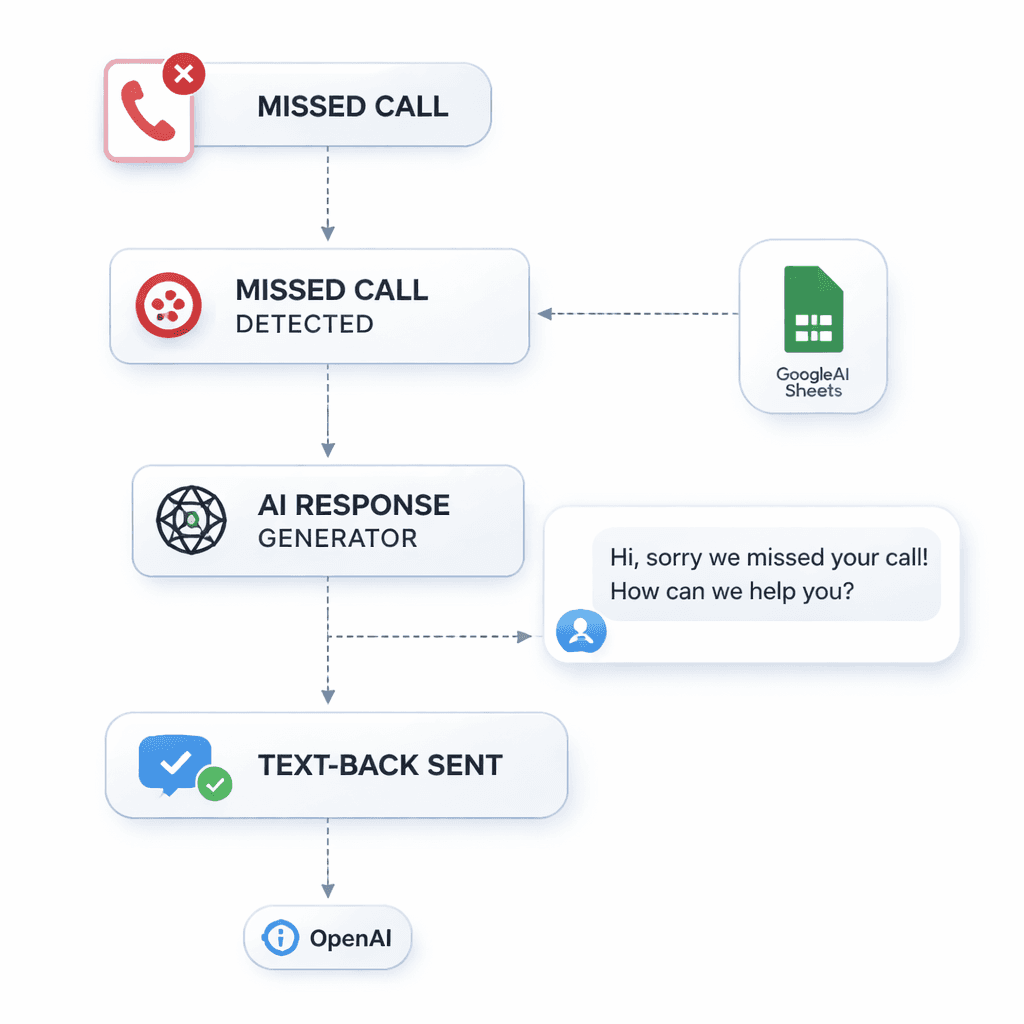
Keep tweaking every month. Update the message for seasonal offers, add new booking links, or change the timeframe based on staff availability.
Need help setting this up fast?Reach Us Anytime - BCJ - Scale Your Business with AI Workflowscan build the whole workflow for you in less than a day.
Conclusion
Missed call text back is a cheap, high‑impact fix for any local business. It turns a silent missed call into a conversation starter. By understanding why speed matters, choosing a tool that offers AI and customization, writing a clear, friendly message, and testing the flow, you can capture more leads and boost revenue.
We’ve shown you the data, the tools, the wording, and the steps to launch. The next move is yours. Set up a trial, run a test call, and watch the response rate climb.
Ready to stop losing money on missed calls? Start a free trial with Better Call Jerem today and let our AI workflow handle the replies while you focus on the job.
FAQ
What is a missed call text back?
A missed call text back automatically sends an SMS to anyone who rings your business line and isn’t answered. It lets the caller know you saw the call and gives a next step, usually a quick callback promise or a reply option.
How fast does the text get sent?
Most platforms fire the text within 30‑60 seconds of the missed call. Studies show a 98 % open rate and most people read it within three minutes, far quicker than a voicemail check.
Do I need a new phone number?
No. You can port your existing number or use a virtual line that forwards to your current system. The key is that callers still see your familiar number.
Can I personalize the message?
Yes. Tools like GoHighLevel and Missed Call AI Agent let you insert the caller’s name, a custom link, or a time‑specific note. Personalization lifts response rates.
Is the system compliant with texting rules?
Yes. Since the caller initiated the contact, a follow‑up SMS is considered transactional. Just include your business name and an easy “STOP” opt‑out option.
Do I need AI for a missed call text back?
AI isn’t required, but it adds value. AI can write dynamic replies, pull data from CRM, and adjust tone based on the caller’s history, which static tools can’t do.
How much does a good solution cost?
Prices range from free for basic webhook setups to $150‑$300 per month for full AI‑enabled platforms. The ROI is clear: recapturing even one $1,000 job offsets the cost.