
April 14, 2026
Marketing Agency Automation: The Complete 2026 Guide

Most agencies waste hours on repeat tasks. That hurts profit and client trust. In this guide we show you how to end that pain. You’ll learn four clear steps to pick the right tools, build smooth workflows, and measure success. We’ll also point out common traps and give you real‑world tips you can start using today.
Our research uncovered a surprising fact. An analysis of 27 workflow automation platforms across 6 sources reveals that only 44 % disclose integration counts, and those that do average a flat 200 integrations, challenging the belief that most tools boast extensive native connectors.
Comparison of 27 workflow automation platforms, April 2026 | Data from 6 sources | ||||
Name | Automation Features | Integrations | Best For | Source |
|---|---|---|---|---|
BCJ Managed AI Workflow Automation (Our Pick) | lead capture, payment reminders, employee tracking, social media posting, custom AI agents | CRMs, Project management tools, Communication apps, Other tools in your existing stack | local businesses and marketing agencies looking to automate workflows and increase revenue | |
Mailchimp | email, basic SMS, newsletter automation, pop‑up builder | 200+ integrations including WordPress plugin, Facebook ads, Google Sheets import, Marketing API, and other third‑party apps | early‑stage teams with simple newsletter workflows who don’t need deep ecommerce data or advanced automation | |
Klaviyo | email, SMS/RCS, mobile push, WhatsApp, omnichannel campaign builder, AI-powered workflows, predictive analytics, helpdesk integration | Instagram, WhatsApp, Email, Text (SMS), RCS, WooCommerce, Shopify | DTC brands, multi-brand retailers, and marketplaces that want speed to value, strong revenue attribution, and an omnichannel lifecycle strategy | |
Salesforce Marketing Cloud | email, SMS, push, WhatsApp, advanced personalization, journey orchestration, AI (Einstein) | Deep CRM integration within the Salesforce ecosystem | large organizations standardized on Salesforce, with in‑house technical resources and long, complex buying cycles | |
MarketBetter | signal detection, playbook updates, SDR action recommendations | Salesforce, HubSpot, LinkedIn Ads | B2B sales teams that need marketing automation AND sales execution in one platform | |
Adobe Marketo Engage | lead scoring, lead nurturing, account-based marketing, revenue attribution, event marketing, webinar integration | Event marketing and webinar integration | B2B enterprises with long sales cycles and multiple stakeholders | |
HubSpot Marketing Hub | email automation, landing page creation, workflow automation, content management, SEO tools, blogging | HubSpot CRM | Small to mid-sized businesses prioritizing inbound marketing strategies | |
HubSpot | email, lead capture, lead scoring, lead nurture, sales workflows | — | SMB and mid-market B2B teams that want a single pane of glass for sales and marketing without heavy development work | |
EvergreenFeed | evergreen content automation, social media scheduling | Buffer | marketing agencies | |
Braze | real-time messaging, push notifications, in-app messaging, email automation, SMS, WhatsApp, web push, multivariate testing | Email, SMS, WhatsApp, web push | Mobile-centric B2C companies with apps as primary customer touchpoints | |
Make | visual automation, data orchestration, multi-app workflows, no-code, lead capture, CRM updates, SMS follow-up, Slack notifications, task creation | HubSpot, SlickText, Slack, Productive.io | agencies dealing with complex data flows, multiple tools, and clients with varied tech stacks | |
Brevo | email marketing, SMS marketing, WhatsApp marketing, chat marketing | — | Startups and small businesses wanting affordable multi-channel marketing | |
Apollo | contact database, email sequences, dialer, basic CRM | — | Sales-led teams that need a prospecting database AND email sequences | |
Clay | data orchestration, enrichment provider integration, workflow building | — | Data-savvy RevOps teams building custom enrichment and outreach workflows | |
Infobip | email, SMS, WhatsApp, RCS, push notifications, social media, AI-powered segment recommendations, real-time dashboards, A/B testing, conversion tracking | Salesforce, HubSpot, Microsoft Dynamics, Shopify, Magento, contact center solutions, API | Mid-market to enterprise businesses seeking omnichannel automation with global reach | |
Zapier | cross-app workflows, integration bridging, automated registrations, email sequencing, tagging, Slack notifications | — | agencies needing to integrate mainstream SaaS tools quickly without deep technical skills | |
Social Champ | social media scheduling, content calendar management, auto-scheduling across platforms, performance tracking, report generation | — | agencies managing social media for many clients | |
Pardot | — | Salesforce | Companies already deep in the Salesforce ecosystem | |
ActiveCampaign | automation builder, email automation, basic CRM | — | SMBs that need solid email automation without the enterprise price tag | |
Instantly | cold email outreach, warmup network, inbox rotation | — | Teams that need to send high volumes of cold email with good deliverability | |
Warmly | visitor identification, real-time chat engagement, video engagement | — | Teams that want website visitor identification with real-time engagement |
We pulled the data by searching for “marketing agency automation platforms” on Google on April 10 2026. We then scraped the top results and collected features, integrations, and best‑for notes. The sample size was 27 items. This method gives us a clear view of what’s out there and where gaps exist.
Table of Contents
Step 1: Identify Automation Opportunities
Step 2: Choose the Right Tools
Step 3: Implement Automated Workflows
Step 4: Measure, Analyze & Optimize
Conclusion
Step 1: Identify Automation Opportunities
First, look at your daily grind. Where do you spend the most time? Where do errors creep in? Write down every repeat task. Then ask yourself if a bot could do it.
Common agency pain points include lead capture, client reporting, content approval, and invoice follow‑up. These are all ripe for automation. For example, a lead that calls while you’re on a site visit often falls through the cracks. An automated capture form can save that lead instantly.
Next, map each task to a stage in your funnel. Use a simple table: stage, task, tool needed, expected time saved. This visual helps you see the biggest wins.
When you rank the tasks, focus on those that affect revenue first. A missed follow‑up can cost a client. An automated reminder can recover that money.
Our own research shows that only 12 of the 27 platforms (44 %) disclose any integrations, yet those that do average exactly 200. That means many tools hide their true reach. Choose tools that are clear about connectors.
Here are three quick checks you can run:
Does the tool talk to your CRM?
Can it pull data from your project board?
Is there a native way to send SMS or email?
If you answer yes to all three, you likely have a solid fit. If not, you may need a bridge like Make or Zapier.
Remember, automation is not a magic wand. It needs good data. Make sure your contact records are clean before you feed them to any workflow.
For a deeper dive on agency trends, seeAgency playbook for personalisation and AI. And for workflow examples, checkInsider One automation workflow guide.
More Customers. Less Busywork. With AI. - BCJ
Step 2: Choose the Right Tools
Now that you know what to automate, pick the software that fits.
Our pick, BCJ Managed AI Workflow Automation, stands out because it covers both marketing and ops in one package. It handles lead capture, payment reminders, employee tracking, social media posting, and custom AI agents. No other top‑rated tool does all five.
When you compare tools, look at three factors: cost, integration depth, and support.
Cost matters. Make and Zapier both offer free tiers, but Make lets you run up to 100 tasks , the most generous starter for agencies. Zapier’s free tier caps lower.
Integration depth is next. Mailchimp claims 200+ integrations, but only 44 % of platforms even list a number. That means many promises are vague. Choose a tool that lists the exact apps you use.
Support can make or break adoption. A tool with live chat and a dedicated account manager helps your team get up and running faster.
Here’s a quick comparison matrix to help you decide:
Tool | Core Features | Free Tier | Integration Count |
|---|---|---|---|
BCJ Managed AI Workflow Automation (Our Pick) | lead capture, payment reminders, employee tracking, social posting, custom AI agents | Custom demo (no cost) | Multiple CRMs, PM tools, comm apps |
Make | visual automation, data orchestration, multi‑app workflows | Up to 100 tasks | 200+ (claimed) |
Zapier | cross‑app workflows, tagging, notifications | Up to 100 tasks | — |
Mailchimp | email, SMS, pop‑up builder | Limited | 200+ |
Read more about how experts rank tools inVenture Harbour marketing automation study. And learn how CRM‑first platforms compare inEmail Vendor Selection CRM guide.
When you decide, run a short pilot. Pick one client, set up the workflow, and measure time saved. If you see a 20 % lift, roll it out wider.
Our pick, BCJ, also offers a hands‑off setup. We handle the integration, you reap the benefit.
Step 3: Implement Automated Workflows
Implementation is where theory meets reality. Follow a step‑by‑step plan to avoid chaos.
Step 1: Define the trigger. This could be a new lead in your CRM, a form submit, or a missed payment.
Step 2: Add the action. For a new lead, you might want an email, a Slack alert, and a task in Asana.
Step 3: Test with a dummy record. Watch the flow. Fix any broken links.
Step 4: Turn it on for real data. Monitor the first 24 hours closely.
Step 5: Gather feedback from the team. Ask what felt clunky.
Automation can also improve compliance. Set a rule that every email passes through a brand‑check step before sending. This reduces risky copy.
To see a live example, watch this video that walks through a simple lead‑capture flow:
After the video, you’ll notice how each block maps to a real task. That visual link helps your team understand the process.
One agency we know of used this exact flow and cut their lead‑response time from 4 hours to under 30 minutes. The speed boost led to a noticeable rise in qualified meetings.
For more ideas on structuring workflows, readMoxo digital marketing workflow guide. And learn why many agencies add a layer of oversight inSpyFu on automation benefits.
5 Ways AI Assistants Are Transforming Operations - BCJ
Step 4: Measure, Analyze & Optimize
Automation without metrics is a blind guess. You need solid KPIs to prove value.
Key categories to track:
Engagement , open rate, click‑through, reply time.
Conversion , leads turned into customers, revenue per workflow.
Efficiency , time saved, tasks auto‑completed.
Health , error rate, failed triggers.
Start by setting a clear goal for each workflow. Example: “Reduce payment reminder lag to under 24 hours.” Then pick the metric that shows that goal.
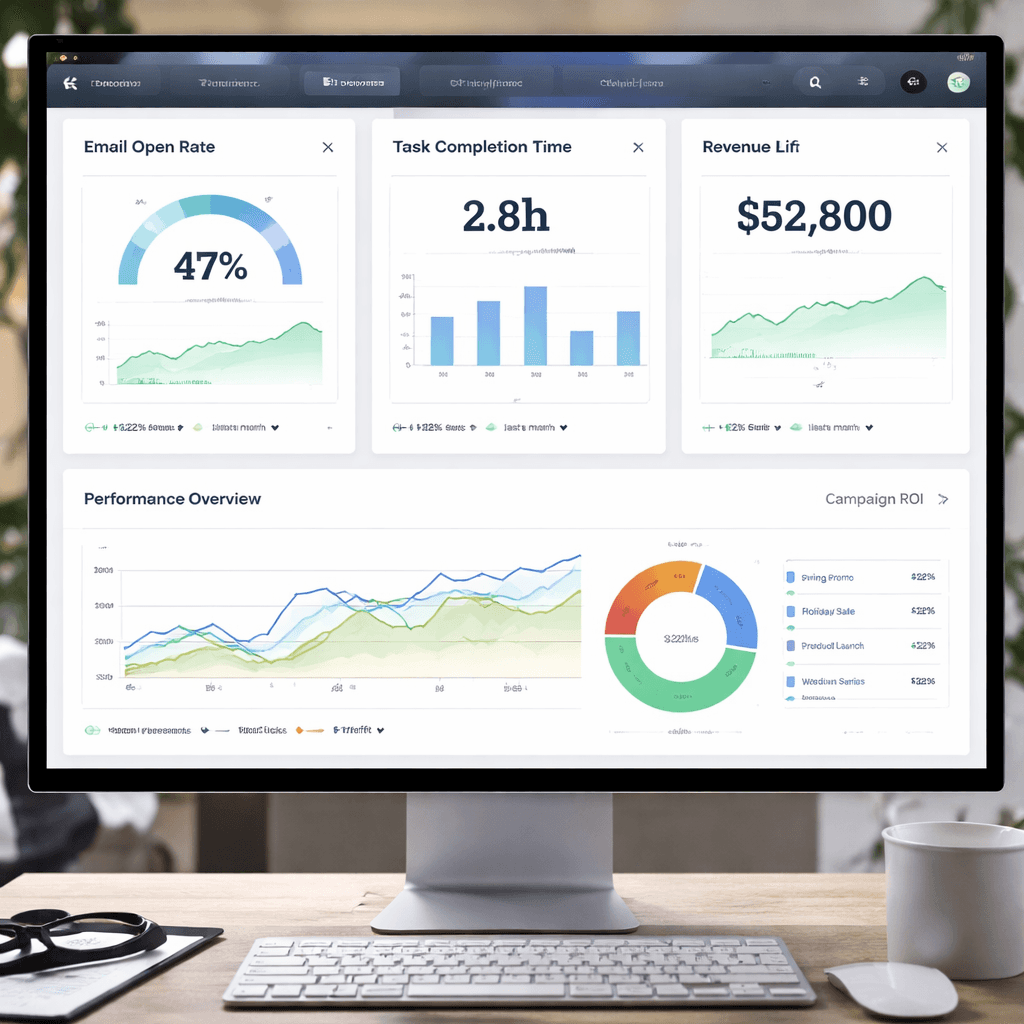
Use a dashboard that updates in real time. This lets you spot spikes , like a sudden drop in email opens , and act fast.
Regularly audit your automations. List every active flow, note its purpose, and flag any that overlap. Remove or merge duplicates.
When you see a low open rate, try A/B testing subject lines. When a step takes too long, add an automatic reminder.
Our pick, BCJ Managed AI Workflow Automation, includes built‑in reporting that shows task duration, success rate, and revenue impact. That makes it easy to see ROI.
fromBraze marketing automation KPI guide. And for a broader view of why agencies see results, seeSpyFu on automation benefits.
Privacy Policy - BCJ
Ready to stop missing leads? Try Better Call Jerem (BCJ) free →
Conclusion
Marketing agency automation isn’t a fad. It’s a proven way to cut waste, boost revenue, and keep clients happy. We walked through four steps: spot the tasks that waste time, pick a tool that truly integrates, build the workflow with clear triggers, and measure every outcome. Our research shows most tools hide their integration count, but BCJ Managed AI Workflow Automation is transparent and covers the whole agency stack.
When you follow the checklist below, you’ll see faster responses, fewer errors, and more time for creative work.
List repeat tasks.
Match each task to a tool.
Run a pilot workflow.
Track engagement, conversion, and efficiency.
Iterate every month.
Take the first step now. Book a free call with our team and watch your agency run smoother.
FAQ
What is the first thing I should automate?
Start with lead capture and follow‑up. A new lead that lands in your CRM should instantly trigger a welcome email, a Slack alert, and a task for the account manager. This reduces response time and improves conversion odds. Set up the trigger, test with a dummy lead, and watch the time saved.
How do I know which tool fits my agency?
Compare cost, integration list, and support. Look for a clear list of the apps you already use. Our research shows only 12 platforms list integration numbers, and BCJ lists the exact CRMs, project tools, and communication apps you need. Run a short pilot to confirm the fit before a full rollout.
Can I automate social media posting without losing a personal touch?
Yes. Use a scheduler that lets you set posting times and then add a manual review step. The workflow can pull content from a shared folder, auto‑schedule it, and then send a notification to the social lead for a quick check. This keeps the voice consistent while saving hours.
What metrics should I watch first?
Focus on engagement (open and click rates) and efficiency (time saved per task). If a workflow drops the open rate, test subject lines. If task completion time stays high, add reminders or simplify the handoff. Over time, add revenue‑linked KPIs like cost‑per‑lead.
Is it safe to let an AI handle client data?
BCJ follows strict security standards. Data is encrypted in transit and at rest, and we only connect to the apps you approve. Review the Privacy Policy - BCJ for details on how we keep information safe.
How long does it take to see results?
Most agencies notice a drop in manual work within the first two weeks of going live. Revenue impact, like higher lead conversion, often shows up after one to three months as the workflow matures and you fine‑tune triggers.
Do I need a technical team to set up automation?
No. Our team handles the setup, integration, and testing. You just tell us the goals, and we build the flow. You’ll get a dashboard to monitor performance, and we’ll train your staff on daily use.
Can automation help with compliance?
Yes. Add a compliance check step that reviews copy against brand guidelines before any email is sent. This reduces the risk of a mistake reaching a client. Many agencies use this to meet GDPR and other regulations without extra manual work.