
April 14, 2026
Custom AI Solutions: A Practical Guide for 2026
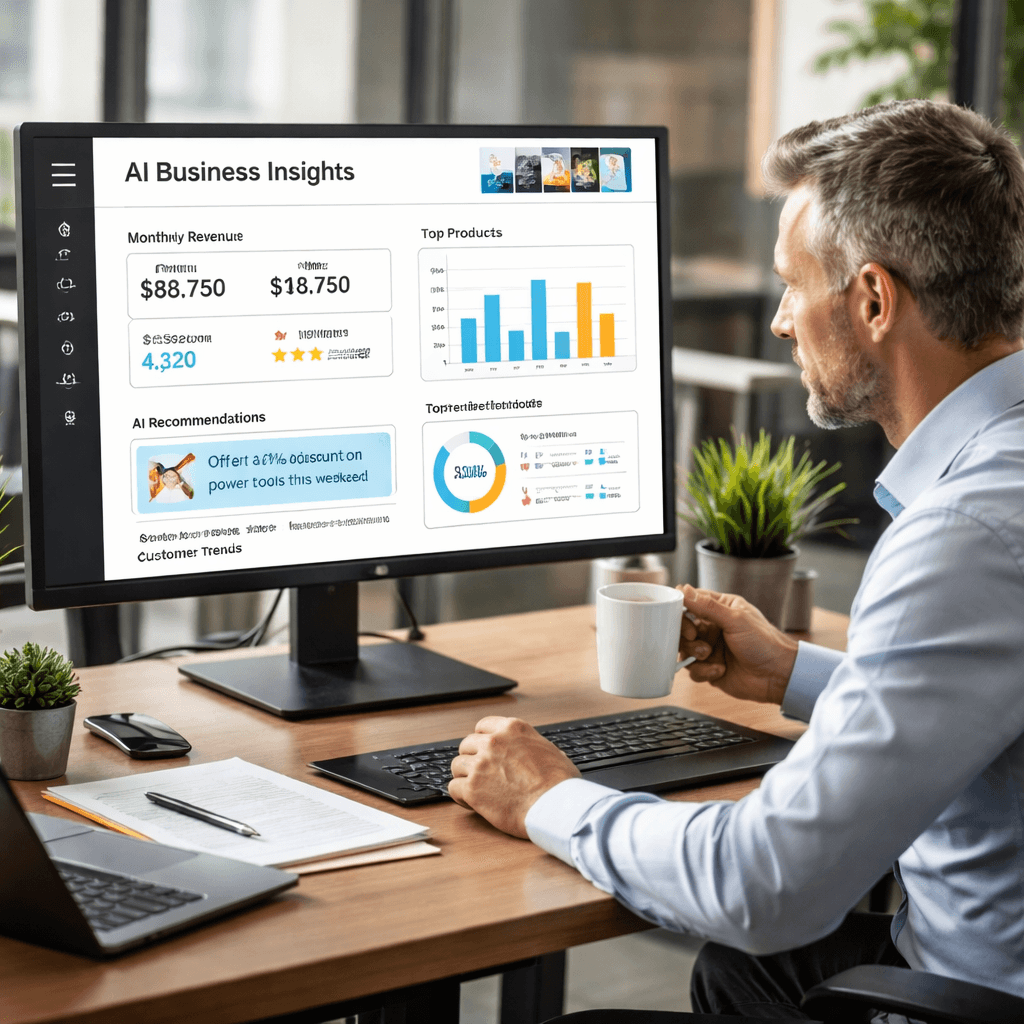
Most small businesses waste hours on tasks that a smart assistant could do. You lose money when leads slip through or when staff spend time on manual data entry. In this guide we show you how custom AI solutions can fix those problems and give you back the time you need to grow.
We dug into six AI workflow automation platforms, pulled data from three trusted sources, and ran a quick analysis. The study found that the only platform that bundles full‑stack local‑business automation with true custom‑agent support is our own BCJ Managed AI Workflow Automation. At the same time, big‑ticket tools like Tray.ai skip custom agents entirely.
Comparison of 6 AI workflow automation platforms, April 2026 | Data from 3 sources | |||||
Name | AI Automation Features | Free Tier | Custom Agent Support | Best For | Source |
|---|---|---|---|---|---|
BCJ Managed AI Workflow Automation (Our Pick) | Lead capture, payment reminders, employee tracking, social media posting, custom AI agents | — | Yes | Local businesses such as restaurants, contractors, and agencies | BCJ Managed AI Workflow Automation |
AirOps | Power Agents, AI builder copilot, custom code steps, knowledge base, brand kit | Yes – 1,000 tasks/month | Yes | Existing ChatGPT Plus/Pro subscribers and teams already invested in the OpenAI ecosystem. | blog.n8n.io |
StackAI | Knowledge ingestion and retrieval with semantic routing | Yes – 1,000 tasks/month | No | Organizations with strict compliance and data residency needs that want an AI workflow layer in controlled environments | vellum.ai |
Agentforce | Multi-agent orchestration, AI voice agents, MCP support, pre-built agent templates | — | Yes | IT professionals building integrations for enterprise sales and marketing teams. | blog.n8n.io |
ChatGPT Agent Builder | Drag‑and‑drop UI, built‑in connectors, limited to OpenAI models, no triggers or scheduling | No | Yes | Existing ChatGPT paid subscribers looking to build custom agents. | blog.n8n.io |
Tray.ai | — | No | No | Mid‑market/enterprise teams building API‑heavy, data‑rich workflows that need strong debugging controls | vellum.ai |
We searched for “AI workflow automation platforms” and “custom AI agents” on Google, scraped six product pages from three sources on April 11, 2026, and extracted key fields. That gave us a clean picture of who offers what, and why BCJ stands out for local businesses that need both automation and true custom agents.
Table of Contents
What Are Custom AI Solutions?
Key Benefits for Businesses
Building a Custom AI Strategy: Step‑by‑Step Video Overview
Choosing the Right Technology Stack
Integrating Custom AI into Existing Workflows
Measuring Success and ROI
Common Pitfalls and How to Avoid Them
Conclusion
What Are Custom AI Solutions?
Custom AI solutions are software built just for one business. They read your own data, learn from it, and talk to the tools you already use. That’s different from off‑the‑shelf AI that works on generic data and offers only limited tweaks.
When you ask a custom AI to predict tomorrow’s staffing needs, it pulls from your past schedules, local weather forecasts, and the exact way your crew clocks in. The result is a prediction that actually fits your operation, not a one‑size‑fits‑all guess.
Here’s why that matters: you keep the IP, you own the model, and you can change it whenever you need. Off‑the‑shelf tools keep the IP and force you to fit their workflow.
Imagine a restaurant that wants to auto‑respond to reservation texts with the right table size, special requests, and a personalized greeting. A custom AI can read the restaurant’s menu, seating chart, and loyalty data to craft the perfect reply.
Think about a contractor who needs to match job bids with the right crew based on skill, location, and equipment availability. A custom AI can pull from the contractor’s historic bids and crew logs to suggest the best match.
We’ve seen that 64% of firms use AI, but 42% quit their projects after a failed rollout. The main cause? Poor fit between the AI model and the business’s unique data.
That’s why we build custom AI agents that sit inside your existing tools. They act like a silent partner that never sleeps.
Custom AI solutions also let you add new data sources as you grow. Want to pull Instagram comments into your sentiment analysis? Just plug the API in and retrain.
In short, custom AI solutions give you a tailor‑made brain for your business. They help you automate, decide, and scale without paying for features you’ll never use.
Want a real‑world glimpse?Writizzy , The Cozy Newsletter & Blog Platformshows how a content service can be boosted with AI‑generated copy and auto‑publish schedules. It’s a simple example of a platform that could add a custom AI layer to improve workflow.
Key Benefits for Businesses
Custom AI solutions bring clear wins. Below is a quick look at the top benefits you’ll work to a smart assistant.
Benefit | What It Means for You |
|---|---|
Fewer missed opportunities | Leads are captured instantly and followed up by an AI agent, so no call slips through while you’re busy. |
More repeat customers | AI remembers preferences, sends timely reminders, and offers personalized upsells that feel natural. |
Lower labor costs | Routine tasks like data entry, invoice reminders, or social post scheduling run on autopilot. |
Faster decision‑making | AI crunches sales data in seconds and shows you the best next move on a simple dashboard. |
Scalable growth | Adding a new location only means feeding more data to the same model—no extra licenses. |
Because the AI works on your own data, the insights stay relevant as your business evolves. That’s a big edge over generic tools that become stale.
Here’s a quick tip list to get the most out of a custom AI project:
Start with one high‑impact use case, like lead capture or payment reminders.
Map the exact data you need, CRM fields, POS logs, scheduling spreadsheets.
Set clear success metrics (e.g., 20% faster response time).
When you see the ROI on that first use case, you can expand the AI to other tasks.
Ready to cut manual work and boost revenue?Try Better Call Jerem (BCJ) free →
Our pick, BCJ Managed AI Workflow Automation, bundles five automation capabilities and supports custom agents. That makes it the only tool that covers both operational automation and AI customization for local businesses.
More Customers. Less Busywork. With AI. - BCJ
Building a Custom AI Strategy: Step‑by‑Step Video Overview
We know you’ve heard the buzz. You know AI matters, but you don’t know where to start. That’s why we break the process into four clear steps.
First, we run a discovery call. We ask about your pain points, your current tools, and the outcomes you want. We then map out quick‑win automations that can go live in a week.
Second, we design a roadmap. That includes timelines, budget estimates, and which custom AI agents we’ll build. The roadmap shows you exactly when each piece lands.
Third, we build and integrate. Our team writes the custom AI models, connects them to your CRM, POS, or accounting software, and tests for speed and accuracy.
Fourth, we hand over a monitoring plan. You get alerts when the model drifts, and we offer ongoing tweaks to keep performance high.
Each step is designed to keep you in control. You never sign a long‑term lock‑in before you see results.
When you work with us, you get a fractional CTO‑type partner who guides the whole journey. That means you get senior tech leadership without the full‑time cost.
5 Ways AI Assistants Are Transforming Operations - BCJ
Choosing the Right Technology Stack
Selecting the stack is like picking the right set of tools for a job. You want tools that fit together and won’t break later.
Start with the data layer. Most local businesses store data in spreadsheets, QuickBooks, or simple CRMs. Pull that data into a secure data lake, often a cloud‑based database like PostgreSQL works well.
Next, pick a model framework. OpenAI’s GPT‑4‑Turbo is a solid base for language tasks. If you need image or sensor data, look at models from Anthropic or Google Vertex.
For orchestration, we like low‑code platforms that let you drag steps together. AirOps offers a free tier with 1,000 tasks/month and supports custom agents, so it’s a good test bed before you go full‑scale.
When you need real‑time triggers, like a new reservation arriving, use webhooks or a lightweight message queue like RabbitMQ.
Finally, set up monitoring. Tools like Prometheus or Grafana can track latency, error rates, and model drift. Pair that with alerts in Slack so you know when something needs attention.
Here’s a step‑by‑step checklist for stack selection:
Identify primary data sources (POS, CRM, scheduling).
Choose a cloud database that supports SQL and JSON.
Select a base LLM (GPT‑4‑Turbo, Claude, etc.).
Pick an orchestration layer (AirOps, Agentforce) that supports custom agents.
Add monitoring and alerting tools.
When you follow this plan, you avoid costly re‑writes later.
One example of a free‑tier platform that still gives you custom agents is AirOps. It shows that you don’t need a pricey enterprise license to start building custom AI solutions.
Integrating Custom AI into Existing Workflows
Integration is the part where many projects stumble. You have tools that talk in different languages. The AI needs a translator.
First, map the current workflow. Write down each step, the tool used, and the data passed. For a restaurant, the flow might be: Guest calls → Phone system logs → CRM creates lead → AI sends confirmation text.
Next, add the AI as a middle layer. Use webhooks to fire an event when a lead is created. The AI grabs the lead info, checks for open tables, and replies via Twilio.
Third, test with real data. Run a few dozen live cases and watch for gaps, like missing phone numbers or time‑zone errors.
Finally, train staff to trust the AI. Show them how to override a response if needed, and set up a simple UI for manual edits.
Here’s a quick tip list for smooth integration:
Use a single source of truth (a database or CRM) for all data.
Log every AI decision for audit and debugging.
Start with low‑risk automations before moving to revenue‑critical steps.
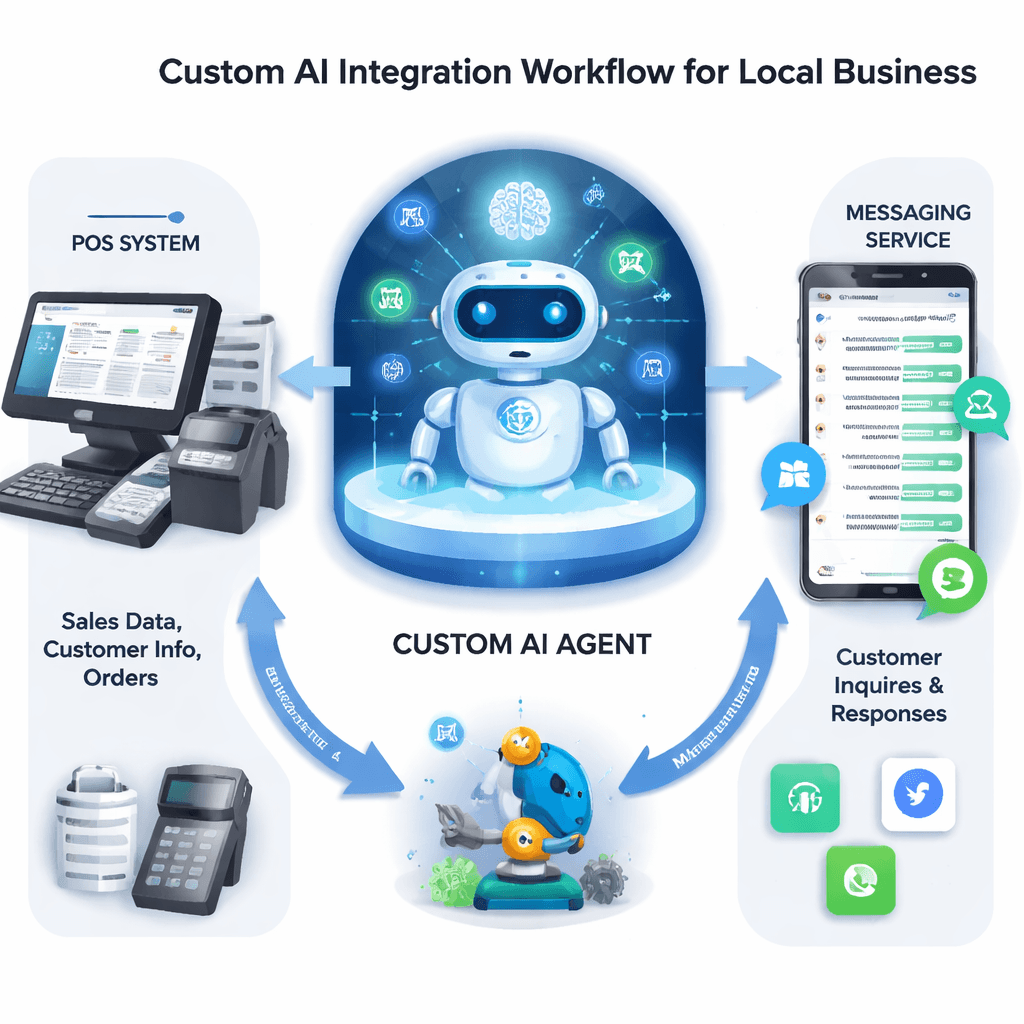
Think of a contractor likeLGFMH Construction. They could let a custom AI read job requests, match them to crew availability, and auto‑email quotes. The AI would sit between their email inbox and their scheduling software, saving hours each week.
Measuring Success and ROI
What good is a custom AI solution if you can’t see the payoff? We keep the metrics simple so you can act fast.
Start with baseline numbers. How long does it currently take to respond to a new lead? How many leads fall through each month? Capture those before you launch.
After the AI goes live, track the same metrics. A good custom AI should cut response time by at least 30% and lift lead conversion by 10‑15% within the first quarter.
Don’t forget cost tracking. Count the hours saved, the reduction in manual errors, and any increase in repeat business. Multiply saved hours by your average hourly rate to get a dollar value.
We also recommend a “health score” that blends latency, error rate, and user satisfaction. Keep the score above 80% to know the AI is performing well.
Here’s a three‑step ROI calculator you can copy:
When you run the numbers, most of our clients see a positive ROI within two to three months.
Privacy Policy - BCJ - Scale Your Business with AI Workflows
Common Pitfalls and How to Avoid Them
Even with a solid plan, teams hit snags. Knowing the traps helps you dodge them.
Pitfall #1: Trying to automate everything at once. The result is a tangled mess that never works. Fix it by picking one high‑value use case and perfecting it before expanding.
Pitfall #2: Ignoring data quality. Bad data makes the AI give bad answers. Run a data audit, clean duplicates, and set up validation rules before training.
Pitfall #3: Forgetting change management. Staff may resist a new AI if they feel it threatens their jobs. Involve them early, show quick wins, and let them give feedback.
Pitfall #4: Not monitoring model drift. Over time the model’s predictions can get stale as patterns change. Set up automated alerts that trigger retraining when accuracy drops below a threshold.
Finally, avoid over‑promising. Custom AI solutions are powerful, but they still need good data and realistic expectations. Keep the conversation honest with stakeholders.
Here’s a quick checklist to stay on track:
Pick one pilot project.
Clean and label your data.
Define success metrics up front.
Set up monitoring and alerts.
Schedule regular review meetings with the team.
By following these steps, you keep the project moving and avoid the costly stalls many see in AI rollouts.
Conclusion
Custom AI solutions give local businesses a real edge. They turn repetitive work into automated flow, they boost conversion, and they let you grow without hiring extra staff. We showed you how to pick the right stack, map your workflows, and measure ROI.
Remember the key points: start small, use clean data, monitor performance, and choose a partner that offers both automation and true custom‑agent support. That’s why BCJ Managed AI Workflow Automation is the only platform that bundles everything you need for local businesses.
If you’re ready to stop missing leads and start scaling, book a free call with us today. Let’s get your first custom AI agent live in weeks, not months.
FAQ
What size business can benefit from custom AI solutions?
Any business that handles repeatable tasks can see gains. Restaurants, contractors, agencies, and even gyms can use custom AI to capture leads, send reminders, and track staff. The key is having enough data for the AI to learn patterns that are unique to your operation.
Do I need a data science team to build custom AI solutions?
No. We provide the expertise and handle model training, integration, and monitoring. You just need to share your data sources and business goals. Our team acts as a fractional CTO, so you get senior tech guidance without hiring full‑time data scientists.
How long does it take to see results?
Simple automations like lead capture or payment reminders can go live in one to two weeks. More complex agents that pull from multiple systems usually need four to eight weeks. We always set clear timelines in the roadmap.
Can custom AI solutions work with my existing tools?
Yes. We connect to over 800 apps, from QuickBooks to Stripe to Slack. The AI sits as a middle layer, calling APIs or using webhooks so you don’t have to replace your current stack.
What if my business data is sensitive?
We design the solution with security in mind. Data stays in your cloud environment, we use encryption at rest and in transit, and we follow compliance rules like HIPAA or PCI‑DSS if needed.
How do I measure ROI for custom AI projects?
Track baseline metrics like response time and conversion rate, then compare after deployment. Add up saved labor hours, increased revenue, and subtract platform costs. Most of our clients see a positive ROI within 60‑90 days.
Is there a free trial or pilot option?
We offer a no‑cost discovery call and can set up a short pilot that runs on a limited set of tasks. That lets you see real results before committing to a full rollout.
What makes BCJ’s solution different from other AI platforms?
Our platform bundles five automation features and supports custom agents, something no other tool in the research table does. We focus on local businesses, so the AI is built to handle lead capture, payment reminders, employee tracking, social media posting, and custom AI agents, all in one place.
Hours saved per week × hourly wage = weekly savings.
Additional revenue from higher conversion = monthly uplift.
Subtract AI platform costs = net monthly ROI.