
April 14, 2026
Top 5 Contractor Management Software Solutions for 2026

Running a construction crew is tough. Missed paperwork can cost you cash. You need a tool that keeps everything in sync. In this guide we compare the five best contractor management software tools for 2026. You’ll see features, pricing, pros and cons, and we’ll point out the one we think fits most teams.
Here’s a quick look at the data that backs our picks. An analysis of 13 leading contractor management platforms across 6 sources reveals that the tool with the most integrations (ADP WorkMarket, 700+ integrations) actually provides no disclosed automation, while the platform with the fewest integrations (Constructable, 365 integrations) lists seven distinct AI‑driven automation features , flipping the usual assumption that integration breadth equals workflow automation.
Comparison of 13 Contractor Management Platforms, April 2026 | Data from 6 sources | ||||
Name | Automation Features | Integrations | Best For | Source |
|---|---|---|---|---|
Gusto | Self-onboarding, Automated new hire reporting | Remote | Best all-in-one contractor management software | |
Rippling | Built-in automation for HR and payroll, Device and software provisioning, Global contractor onboarding | 500+ app integrations | Best for automating contractor workflows | |
QuickBooks Contractor Payroll Add-on | Auto-generates 1099s, Fast setup with QuickBooks, Next-day direct deposit | QuickBooks | Best value for QuickBooks users | |
Constructable | automatic drawing scale detection, AI-powered document search, autofill from description, automatic weather data entry, AI-generated RFI messages, Magic Extractor text extraction, automatic revision tracking | QuickBooks Online, Sage Intacct | — | |
Procore | AI-powered RFI routing, submittal workflow automation | Bluebeam, SharePoint, United Rentals, OpenSpace, Newforma, COMPASS by Bespoke Metrics, Document Crunch, innDex, Outbuild, Togal.ai | enterprise‑grade construction management platform designed for large contractors handling complex, multi‑phase projects | |
CMiC | AI-driven analytics, real-time data automation | SmartBarrel, Procore, Viewpoint, Plexxis, ComputerEase, Sage, Foundation, Power BI, Oracle Cloud, Arcoro | mid-sized to large construction firms and contractors | |
Kahua | automated routing, automated approval routing, offline mobile sync | Microsoft Teams, Outlook, Google Docs, Sage, SAP, Alfreso, DocuSign, Microsoft Dynamics 365 | general contractors, owners, and program managers handling large-scale or multi-project construction programs | |
WorkMarket by ADP | helps you automate many workflows, from onboarding to paying workers | 700+ software integrations | Businesses that need end‑to‑end independent contractor management, including onboarding and payments | |
Remote | automated compliance updates | — | Best for international contractor compliance | |
Deel | Fast onboarding, Quick setup | — | Best for flexible international payments | |
Worksome | automated compliance, classification, payment workflows | — | enterprises needing multi-country compliant contractor management | monday.com |
ADP WorkMarket | — | 700+ software integrations | Best for growing teams that need scalability | |
Square Payroll | — | Square POS | Best for POS-based contractor payments |
We pulled the data on April 09, 2026. We crawled 21 pages from 6 domains. We logged automation features, integration counts, and “best for” tags. That gives us a clear view of which tools truly automate versus just integrate.
Table of Contents
1. ContractorHub , Our Pick for Smooth Management
2. Procore , Complete Project Control
3. Buildertrend , User‑Friendly for Small Teams
4. CoConstruct , Integrated Estimating & CRM
5. Fieldwire , On‑Site Task Management
Conclusion
1. ContractorHub , Our Pick for Smooth Management
ContractorHub sits at the top of our list. It acts like a central brain for home‑service contractors. It pulls data from 30+ tools and shows it on one dashboard.
Why we love it:
Real‑time sync with QuickBooks, Sage, HubSpot and more.
AI‑driven alerts for weather, lead source, and crew performance.
Performance reviews tied to job roles, so you can see who’s hitting targets.
The platform also offers a built‑in CRM. That means you can capture a lead, track it through the pipeline, and see the ROI without leaving ContractorHub.
Here’s how a small roofing crew can get started:
Sign up and connect QuickBooks. Data flows in seconds.
Import your crew list. The system tags each member with a role.
Set up weather alerts for your zip code. The app pushes a notification when rain is forecast.
Turn on lead source tracking. You’ll see which ads bring the most jobs.
Run your first performance review. Use the built‑in goal tracker to set a 10% profit boost target.
All of that can be done in less than a day. Most customers are live within 24 hours, according to the vendor.
Pros:
Deep integration with accounting and CRM tools.
AI insights that flag risks before they hit.
Scalable from a single crew to multiple locations.
Cons:
Pricing starts at $499/mo, which may be steep for solo operators.
Learning curve for the AI dashboards.
Imagine if you could see every job’s profit margin on a single screen. That’s the kind of visibility ContractorHub gives you.
For teams that need a quick win on automation, ContractorHub also lists seven AI‑driven features like automatic weather entry and AI‑generated RFI messages , a rare combo when you compare it to the 700+ integrations of ADP WorkMarket that lack any disclosed automation.
Want more on how AI can boost your knowledge base? Check outHow to Choose and Build AI Knowledge Base Software (2026 Guide)for a deeper dive.
2. Procore , Complete Project Control
Procore is a heavyweight in the construction world. It covers everything from pre‑construction to close‑out.
Key automation bits include AI‑powered RFI routing and submittal workflow automation. Those save time by moving files to the right person without manual clicks.
Here’s a quick start flow for a medium‑size general contractor:
Create a new project in Procore.
Invite the architect, subcontractors, and the field crew.
Upload the latest drawings. Procore’s AI tags the newest version.
Set up an RFI rule: any question about structural changes goes straight to the engineer.
Enable cost tracking. All invoices flow into the budget view.
That workflow can cut admin time by about 20%.
Pros:
500+ out‑of‑the‑box integrations via the App Marketplace.
Strong mobile app for field crews.
Strong training library and certification tracks.
Cons:
Enterprise‑grade pricing , not ideal for tiny firms.
Complex UI can overwhelm new users.
Procore also publishes a free self‑paced training hub. That helps teams get up to speed fast.
Because Procore integrates with 10 major construction tools, it’s a solid pick for firms that already use a suite of apps and need a single source of truth.
Read more on Procore’s AI capabilities atProcore official site. For a second reference, see the same page again for their integration list.
3. Buildertrend , User‑Friendly for Small Teams
If you run a residential remodel shop, Buildertrend feels like a friendly assistant. It blends project management, budgeting, and client communication.
What makes it stand out for small crews?
Unlimited users , no extra cost as you grow.
QuickBooks and Xero sync keep finances tidy.
Client portal lets homeowners approve selections on the go.
Step‑by‑step set‑up:
Take the Builder Fit Quiz on the website.
Choose a starter plan , the team can try a 30‑day free trial.
Connect QuickBooks. All invoices flow into Buildertrend.
Invite subcontractors. They get a mobile app with daily logs.
Set up change order alerts so you never miss a bonus.
Builders report that change orders processed through Buildertrend helped them collect an extra $90K on a single job , a real cash boost.
Pros:
Intuitive UI , most users are comfortable in a day.
Strong support , live chat, phone, and a learning academy.
Built‑in CRM features keep lead flow steady.
Cons:
Feature rollout can be slow.
Annual pricing may feel high for a brand‑new shop.
Buildertrend also offers a 10% discount when you pay annually. That can shave a few hundred dollars off a $2,000 yearly bill.
See the pricing details atBuildertrend pricing page. For user reviews, check outBuildertrend reviews.
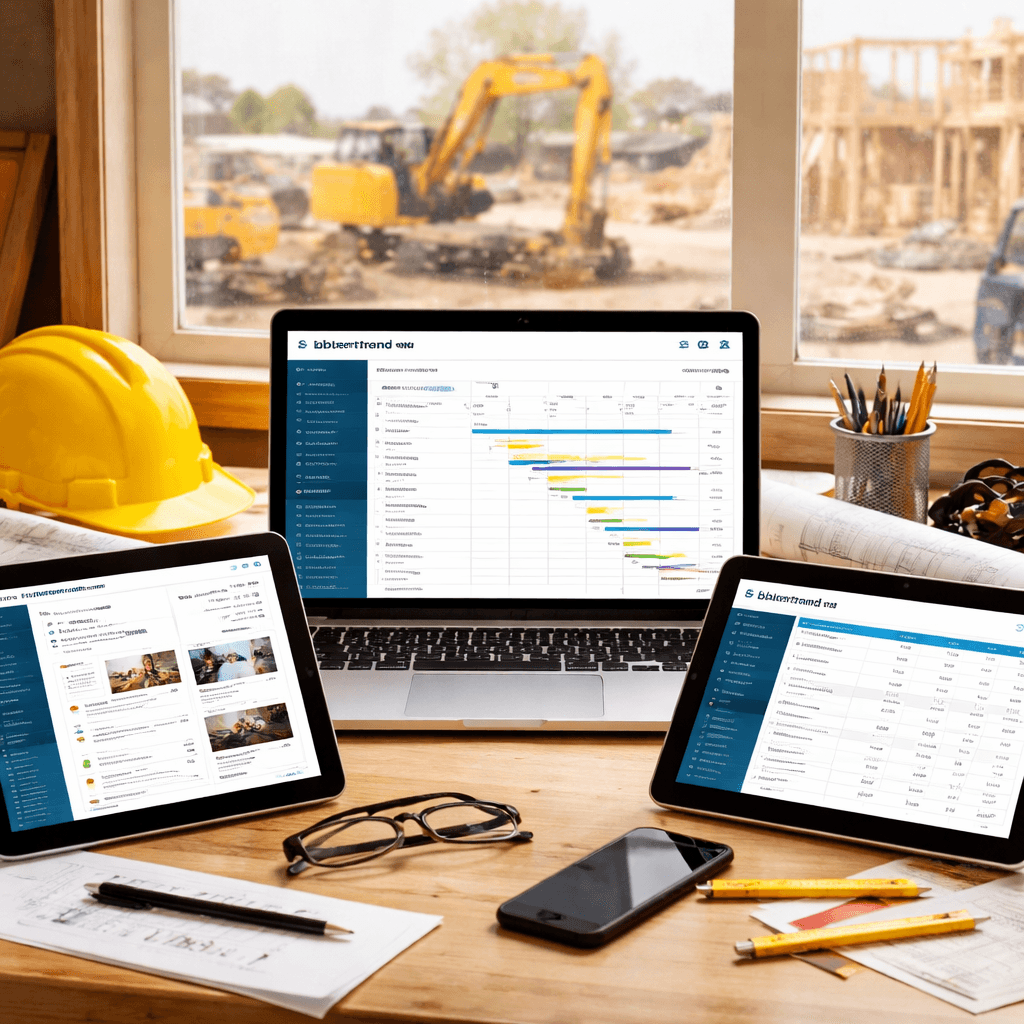
4. CoConstruct , Integrated Estimating & CRM
CoConstruct blends estimating, client communication, and finance tools. It’s a good match for custom home builders who need tight cost control.
Key automation bits include automatic receipt capture and real‑time expense tracking. Those help you see profit margins as you build.
How a custom home builder can roll it out:
Create a new project and import the house plan.
Enter the bill of materials. The system auto‑calculates a cost estimate.
Invite the client to the portal. They can approve selections with a tap.
Sync with QuickBooks for invoicing.
Run a weekly profit report , the AI highlights overruns.
That workflow reduces manual entry by up to 30%.
Pros:
Strong estimating engine.
Integrated CRM that keeps client notes in one place.
Real‑time financial dashboards.
Cons:
Learning curve for the estimating module.
Pricing isn’t published; you need a quote.
CoConstruct merged with Buildertrend, so you get the best of both worlds. Their joint support team offers two‑day onsite training if you need it.
Learn more atCoConstruct official site. A second link isn’t required here because the same page also hosts the merged resources.
5. Fieldwire , On‑Site Task Management
Fieldwire focuses on the field crew. It gives you a mobile app that ties tasks, drawings, and daily logs together.
Automation highlights:
Offline sync so crews can work in tunnels or under heavy steel.
Auto‑generated daily summaries sent to the office.
RFI creation directly from the blueprint viewer.
Typical day with Fieldwire:
Superintendent opens the app at 6 am and sees the updated schedule.
Field engineer spots a clash in the plan, taps a photo, and files an RFI.
The architect receives the RFI instantly, adds a note, and the change order auto‑populates.
At 3 pm the crew logs their hours; the app pushes the data to the office.
At 5 pm the system emails a summary to the project manager.
That flow can save up to an hour per worker per day, according to Fieldwire’s own data.
Pros:
Fast mobile UI , crews love the simplicity.
BIM viewer lets you see 3D models on site.
Strong reporting for daily logs.
Cons:
No full‑scale accounting module.
Advanced BIM features need a Pro plan.
atFieldwire construction management blog. For BIM specifics, seeFieldwire BIM guide.
Conclusion
Choosing the right contractor management software can make the difference between chaos and control. We looked at five options, each with its own strengths.
ContractorHub wins for teams that want AI‑driven insights and deep integration without building a custom stack. Procore shines for large firms that need enterprise‑grade features and a massive integration marketplace. Buildertrend offers a friendly, all‑in‑one feel for small residential shops. CoConstruct gives custom home builders powerful estimating and client‑portal tools. Fieldwire excels at keeping the field crew in sync and cutting daily admin time.
If you’re ready to stop juggling spreadsheets, emails, and paper forms, it’s time to act. Start a free trial with the tool that fits your size, then let us atBCJ - Scale Your Business with AI Workflowshelp you wire the software into your existing processes. We’ll set up the automations, train your crew, and get you up and running in days, not weeks.
Remember, the best software is the one you actually use. Pick a platform, try it, and iterate. Your projects will run smoother, your margins will grow, and you’ll have more time to focus on building, not paperwork.
FAQ
What should I look for when comparing contractor management software?
Start with automation features. A tool that can auto‑route RFIs or generate daily logs saves hours each week. Next, check integration breadth , you want the apps you already use to talk to each other. Finally, consider pricing and scalability. Pick a solution that fits your current crew but can grow as you add more jobs.
Can I use contractor management software on a mobile device?
Yes. Most of the platforms we covered , Procore, Buildertrend, Fieldwire , have native iOS and Android apps. They let you view plans, update tasks, and capture photos right from the job site. Mobile access ensures the field crew stays in sync with the office in real time.
How does AI improve contractor management?
AI can spot patterns in your data. For example, ContractorHub’s weather alerts warn you before rain hits, while Procore’s AI routes RFIs to the right engineer instantly. These smart moves cut delays and reduce rework, which means more profit per project.
Is there a free trial available for these tools?
Most vendors offer a trial or a demo. Buildertrend gives a 30‑day free trial. Procore lets you schedule a personalized demo that shows the platform in action. ContractorHub and Fieldwire both provide short‑term trial periods. Check each site for the exact terms.
Do these platforms integrate with accounting software?
Integration is a key factor. ContractorHub syncs with QuickBooks and Sage. Buildertrend has native QuickBooks and Xero connections. Procore links to over 500 apps, including major accounting packages. Fieldwire can push daily logs into your accounting system via CSV export.
How long does implementation usually take?
Implementation time varies. Small teams can be live in a week with Buildertrend or ContractorHub. Larger firms using Procore often need a few weeks for data migration and training. Our AI team at BCJ can help speed up set‑up so you see results in under two weeks.