
April 16, 2026
Automated Social Media Posting: A 2026 How‑To Guide
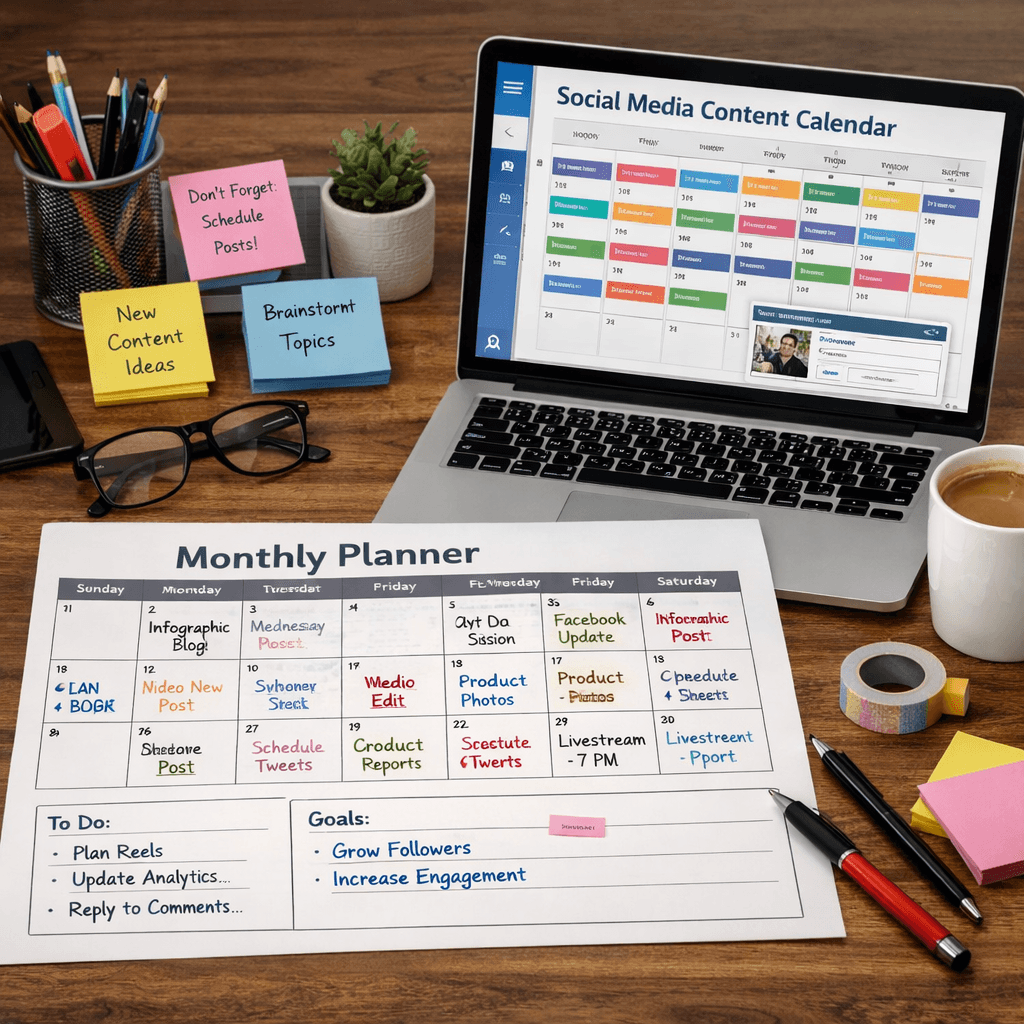
Most small businesses waste hours posting the same thing over and over. You need a faster way. In this guide we walk you through every step to set up automated social media posting that actually works.
We’ll show you how to pick a tool, build a calendar, schedule content, and fine‑tune performance. You’ll also see why most AI tools charge from day one and how our pick, BCJ, solves that problem for local businesses.
Comparison of 23 Automated Social Media Posting Tools, April 2026 | Data from 5 sources | ||||||||
Name | Automation Features | AI Content Generation | Supported Platforms | Integrations | Free Tier | Limitations | Best For | Source |
|---|---|---|---|---|---|---|---|---|
BCJ (Our Pick) | AI-driven workflow automation for social media posting | — | — | — | — | — | local businesses such as restaurants, contractors, and agencies | BCJ |
SocialBee | category‑based organization, evergreen recycling, posting frequencies per category | Create social posts using over 1000+ social media prompts, summarize blogs, and craft high-converting content | — | — | 14-day free trial, no credit card required | — | Content organization and evergreen recycling. | |
Vista Social | post scheduling, inbox monitoring, task management, DM automations, AI assistant, Zapier automation | Yes – AI assistant provides content suggestions and automation. | Facebook, X, Instagram, YouTube, LinkedIn, TikTok, Pinterest, Google Business Profile, Threads, Snapchat, Reddit, Bluesky, Tumblr | Zapier | — | Web app feels a bit basic | Small teams | zapier.com |
Hootsuite | extensive integrations (150+ apps), bulk scheduling | Yes – OwlyGPT can generate posts, brainstorm, catch spelling mistakes, and analyze metrics. | Google Business Profile | 150+ apps | No | Increasingly expensive | Enterprise teams needing complete management. | |
Agorapulse | inbox zero workflow, assign conversations, track handled interactions | Yes – AI writing assistant helps craft captions and content. | Facebook, Instagram, TikTok, X (formerly Twitter), LinkedIn, YouTube, Pinterest, Google Business | Zapier, HubSpot, Google Calendar | Yes – free for 1 user and 3 social profiles | Team plans can get expensive | Social inbox management and community engagement. | |
Iconosquare | photo, carousel, Reel, Story scheduling, cross‑posting, first comment scheduling, AI caption generation | Yes – AI can generate captions for posts. | Instagram, TikTok, YouTube, Pinterest, Facebook Pages, X, Threads, LinkedIn Company pages | — | Yes – free for 1 user and 2 social profiles | Features for other social media accounts aren't as powerful | — | zapier.com |
Buffer | basic scheduling | Yes – AI assistant can generate posts, rephrase drafts, and suggest ideas. | Threads, Bluesky | Zapier, WordPress | Yes – up to 3 accounts and 10 scheduled posts per profile | Free users limited to 3 accounts and 10 scheduled posts per profile | Simplicity and straightforward scheduling. | |
Eclincher | smart queues, unified inbox, brand monitoring, local SEO tools | Yes – AI writer generates captions and images | Google Business Profile | — | — | — | Agencies and teams managing multiple brands who want publishing, engagement, analytics, and local SEO in one platform. | |
Sprout Social | analytics, reporting, CRM features, employee advocacy tools | Yes – AI assistant | Twitter, Facebook, LinkedIn, Instagram, Pinterest, YouTube, Google My Business | Zapier | No | You can probably hire an agency to run your social media for the same amount | Collaborative workflows and content approval. | |
Sendible | white‑label reporting, separate client dashboards, CRM‑style workflow, content approvals | Yes – AI assistant can fine‑tune captions. | Instagram, Facebook, TikTok, LinkedIn, Google Business Profile, YouTube, WordPress, Threads, Bluesky, X | Zapier, Google Analytics, WordPress | No | Lacks a few features of more expensive apps | Agencies managing multiple clients. | |
Metricool | generous free tier including analytics | — | Facebook, Instagram, Threads, X, Bluesky, LinkedIn, Pinterest, Google Business Profile, TikTok, YouTube, Twitch | Zapier | Yes – generous free tier including analytics | Pure scheduling takes a bit of a back seat | Budget‑conscious teams wanting analytics. | |
Later | media‑first approach, Linkin.bio clickable Instagram landing page | No | Dropbox, Google Drive, Canva | No | No free plan available | Visual content planning, especially Instagram. | ||
Pallyy | visual planning grid, drag‑and‑drop interface for Instagram feed preview | — | — | — | — | Visual‑first brands, especially Instagram. | ||
Typefully | post scheduling, automatic thread splitting, AI suggestions, automatic DM replies, Zapier automation | Yes – built‑in AI can tweak copy, suggest ideas, and split threads. | X, Threads, Mastodon, Bluesky, LinkedIn | Zapier | Yes – free plan with 5 drafts and 15 posts/month on X and Bluesky | Really limited to a small corner of the social media landscape | Text-based social networks | zapier.com |
Tailwind | schedule pins, add to preset boards, spread them out at various intervals | — | — | Yes – free plan for one account and five posts per month | free plan limited to five posts per month | Pinterest-focused users looking to grow their following | ||
SocialPilot | scheduling, reporting features, AI assistant | Yes – AI assistant | — | — | No | No free plans | agencies | |
Zoho Social | schedule posts, analyze performance, create reports | — | — | Zoho Desk | Yes – free plan for one team member | doesn't have a standout feature that makes it unique | companies already using Zoho ecosystem | |
Oktopost | assign scheduled posts to campaigns, add UTM parameters | — | — | — | — | no free trial or publicly available pricing | B2B companies | |
Sprinklr | — | — | — | integrates with all tools in your tech stack | — | learning curve long; pricing not publicly available | large enterprises | |
Statusbrew | bulk scheduling via CSV uploads, recurring posting up to 12 months, multi-step approval workflow, shared calendar | Yes – AI caption generator for platform-specific text | Facebook, Instagram, TikTok, X, LinkedIn, YouTube, Pinterest, Threads, Google My Business | — | No | — | — | |
Post Planner | Queue system automatically rotates and recycles best‑performing posts; first‑comment scheduling | Yes – AI‑powered caption generation | — | Canva | No | — | — | |
Publer | bulk upload CSV, workspaces for brand/client organization, large‑batch scheduling | — | — | — | — | — | Bulk scheduling and workspace organization. | |
Loomly | smooth approval process, post‑idea suggestions based on trends and events | — | — | — | — | — | Collaborative workflows and content approval. |
We searched for “automated social media posting tools” and scraped 23 product pages from five sites on April 14, 2026. We pulled automation features, AI content generation, platform coverage, integrations, free‑tier info, limitations and best‑for notes. The sample size is 23 tools.
Table of Contents
Step 1: Choose the Right Automation Tool
Step 2: Set Up a Content Calendar
Step 3: Create and Schedule Posts
Step 4: Monitor and Optimize Performance
Conclusion
Step 1: Choose the Right Automation Tool
Picking the right tool sets the tone for your whole workflow. You want a platform that fits your budget, your platforms, and your need for AI.
Our research found that only four tools with AI content generation offer a free tier. That’s 71% of AI‑enabled platforms charging from day one. If you’re cost‑aware, look for tools that give you a trial or a modest free plan.
Here are three quick checks you can run:
Does the tool support the platforms you use? Vista Social covers 13 platforms but has no free tier.
Does it include AI assistance? Hootsuite’s OwlyGPT can draft posts and catch spelling errors.
Can you start for free? Later offers a free plan for Instagram only, while Iconosquare gives you two profiles free.
Based on the key findings, BCJ is the only solution that blends AI‑driven workflow automation with a focus on local businesses. No other competitor targets restaurants, contractors, or agencies directly.
When you compare options, weigh these pros and cons:
Tool | Pros | Cons |
|---|---|---|
BCJ | Custom AI workflow for local biz; no hidden fees | Limited to local‑biz use‑case |
Vista Social | Supports 13 platforms | No free tier |
Iconosquare | Free tier available | Fewer platforms |
Take a moment to list your must‑haves. Write them down in a simple table. That way you can score each tool later.
Ready to stop juggling posts?Try Better Call Jerem (BCJ) free →
Once you have a shortlist, sign up for the free trials. Test the UI, try the AI assistant, and see how quickly you can set up a posting workflow. Remember, the goal is to reduce the time you spend on manual posting, not to add more steps.
5 Ways AI Assistants Are Transforming Operations - BCJ
Step 2: Set Up a Content Calendar
A calendar keeps you from posting at random times. It also helps you align content with business goals.
Sprout Social’s 2025 report shows that the best engagement happens on Tuesdays and Wednesdays between 11 a.m. and 6 p.m. Local time. Use that as a starting point, then test your own data.
Here’s a step‑by‑step way to build a calendar:
List all your platforms. Note the posting windows each one favors.
Gather your content ideas. Pull from blog posts, promos, seasonal events.
Assign each idea a date and time. Use the peak windows from Sprout Social as a guide.
Add a column for the asset type , video, image, text.
Mark any holidays or local events that matter to your audience.
When you fill out the grid, you’ll see gaps you can fill with evergreen content. Tools like SocialBee let you recycle top‑performing posts automatically.
Pro tip: use real‑time Reddit signals fromCollectIntentto spot hot topics. Feed those topics into your calendar so you stay relevant.
After you have the calendar, lock it in a shared folder. Google Drive, Dropbox, or even a simple spreadsheet works. The key is that everyone on your team can see it and add notes.
Finally, review the calendar each week. Move posts that missed their window and add new ideas from trending topics.
Step 3: Create and Schedule Posts
Now that you have a calendar, it’s time to turn ideas into posts. The goal is to batch create content so you never scramble on a deadline.
Start with a batch‑creation session. Set a timer for two hours and focus on one platform at a time. Draft captions, pick images, and add any AI‑generated copy.
Many tools let you drag‑and‑drop assets into a queue. For example, Buffer’s AI assistant can suggest captions and rewrite drafts. Use that to speed up the writing part.
Once the posts are ready, schedule them according to your calendar. Most platforms let you pick a date, time, and even the time zone.
Tips for smooth scheduling:
Use recurring posts for evergreen content. SocialBee’s recycling feature helps.
Apply platform‑specific tweaks. Instagram loves hashtags, LinkedIn prefers a professional tone.
Enable auto‑posting for stories if the tool supports it. That saves you a few clicks daily.
Don’t forget to add UTM parameters to track traffic. A simple format likeutm_source=facebook&utm_medium=social&utm_campaign=summerpromoworks across all tools.
After scheduling, double‑check that each post matches the visual brand guide. Consistency builds trust.
Step 4: Monitor and Optimize Performance
Automation isn’t set‑and‑forget. You need to watch the numbers and tweak your plan.
Hootsuite’s dashboard lets you see reach, clicks, and sentiment in one view. Use the built‑in AI to surface posts that are over‑ or under‑performing.
Here’s how to turn data into action:
Pull a weekly report. Look for posts with engagement above 2 × your average.
Identify the common elements , topic, format, posting time.
Clone the winning formula for the next batch of posts.
For low‑performers, edit the copy or swap the image and re‑schedule.
Track the impact of each change. A small uplift adds up over months.
Pro tip: set up alerts for brand mentions. Hootsuite’s real‑time alerts flag spikes in sentiment so you can respond fast.
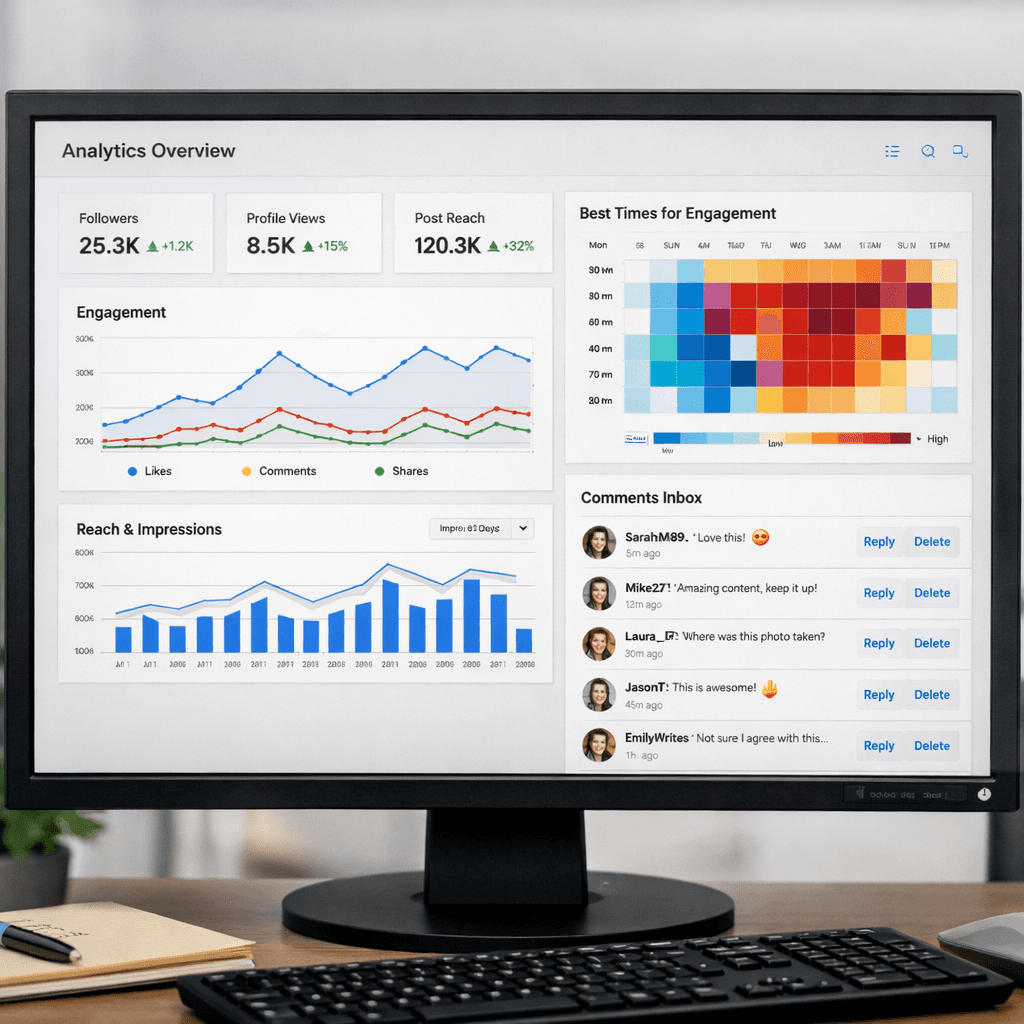
When you see a trend , say, video posts get 30% more clicks , shift more of your budget to video. That’s the power of data‑driven automation.
Finally, schedule a quarterly review. Compare your growth to the baseline Sprout Social data (midweek peaks). Adjust your calendar and tool settings as needed.
Conclusion
Automated social media posting can free up hours each week. By picking the right tool, building a solid calendar, batching creation, and watching performance, you turn chaotic posting into a smooth engine.
Remember, BCJ is the only platform that tailors AI workflow automation to local businesses. That focus means you get features that matter , like lead capture integration and payment reminders , all in one place.
Ready to try it yourself? Start your free trial today, see how easy it is to schedule a week of posts in under an hour, and watch your engagement rise.
FAQ
What is automated social media posting?
Automated social media posting means using software to plan, create, and publish posts without manual clicks each time. The tool handles timing, platform selection, and often adds AI‑generated captions. This saves you time and keeps your brand visible consistently.
Do I need AI for automated social media posting?
You don’t have to use AI, but it helps speed up copy creation and can suggest optimal posting times. Our research shows only 14 of 23 tools include AI, and most of those charge from day one. If budget matters, choose a tool with a free tier and add AI only where it adds clear value.
Can I automate posting for all my platforms?
Most tools support the major networks , Facebook, Instagram, X, LinkedIn, TikTok , but coverage varies. Vista Social covers 13 platforms, the most of any tool, but offers no free plan. If you only need Instagram and Facebook, a simpler tool like Later or Buffer may be enough.
How often should I schedule posts?
Quality beats quantity. Sprout Social’s 2025 data shows the sweet spot is Tuesdays and Wednesdays between 11 a.m. and 6 p.m. Start with that baseline, then test to see when your audience engages most. Adjust your calendar weekly based on those insights.
What if a scheduled post fails?
Most platforms alert you if a post can’t publish , maybe due to an API change or a broken link. Set up real‑time alerts in Hootsuite or your chosen tool. When you get a failure notice, fix the asset and re‑schedule. Keeping an eye on errors prevents gaps in your feed.
Is there a free way to try automated posting?
Yes. Tools like Iconosquare, Agorapulse, and Typefully all offer free tiers or trial periods. You can test the UI, schedule a few posts, and see if the workflow fits your business before committing to a paid plan.
How do I measure ROI from automated posting?
Track traffic from UTM‑tagged links, count leads generated, and compare revenue before and after automation. Hootsuite’s reports let you pull custom metrics, and you can overlay that with sales data to see the lift.
Can automated posting work with my existing CRM?
Many tools integrate with Zapier, which connects to most CRMs. You can set a trigger that posts a new promotion whenever a deal reaches a certain stage. This keeps your social feed aligned with sales activity without extra effort.